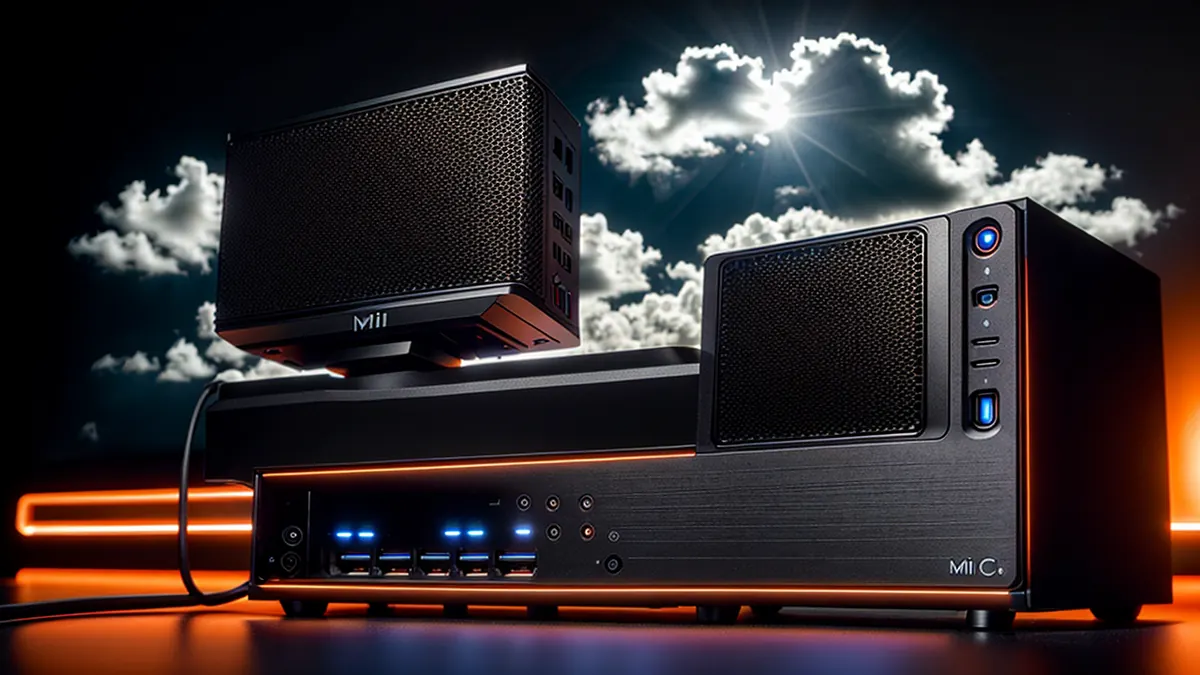
From Cloud Bills to Home Lab: Why I Bought a $764 Mini PC
How a Beelink GTi13 Ultra replaced my $500/month cloud infrastructure and taught me more about systems than any tutorial
The $6,000 Annual Problem
It was September 2024, and I was staring at my AWS bill again.
$487.32 this month.
Not a huge amount in the grand scheme of things, but I ran the numbers: $5,848/year for what was essentially:
- One production database (PostgreSQL on RDS)
- Three EC2 instances (development, staging, production)
- S3 buckets for backups and static assets
- CloudFront for CDN
- Data transfer fees (the silent killer)
There had to be a better way.
The Epiphany
The realization hit me during a late-night debugging session: I'm paying AWS to run services that idle 90% of the time.
My "production" workloads were:
- Personal projects with <1,000 monthly visitors
- Development databases that only I accessed
- Staging environments that ran for maybe 4 hours/week
- A photography portfolio site serving static images
Did I really need enterprise cloud infrastructure for this?
I started researching alternatives. The options were:
- DigitalOcean/Linode - Cheaper, but still ~$200-300/month
- Raspberry Pi - Too underpowered for my workloads
- Used server - Loud, power-hungry, overkill
- Mini PC - Interesting...
That's when I discovered the Beelink GTi13 Ultra.
The Decision
Specs that caught my attention:
- Intel i9-13900HK (14 cores, 20 threads)
- 64GB DDR5-5200 RAM
- 2TB NVMe storage (dual 1TB Crucial SSDs)
- Dual 2.5GbE network ports
- OCuLink port (external GPU support!)
- 65W power consumption
- Price: $764 (with $5 coupon)
The math was compelling:
Cloud (1 year): $5,848
Beelink (1 year): $764 + ~$60 electricity = $824
Savings year 1: $5,024
Savings year 2+: $5,788/year
ROI: 1.6 months
But beyond the money, something else drew me in: I wanted to learn systems administration properly.
AWS abstracts so much away. Click a button, get a database. Need more RAM? Slide a slider. Scale? Auto-magic.
I was good at using AWS. I sucked at understanding what it was actually doing.
A home lab would force me to learn:
- Bare metal OS installation
- Network configuration
- Hypervisor management
- Backup strategies
- Security hardening
- Monitoring and alerting
- Disaster recovery
Skills that would make me a better engineer.
The Purchase
October 1, 2024, 8:46 PM. I clicked "Order" on Beelink's website.
Order #33183:
- Beelink GTi13 Ultra
- 64GB DDR5 RAM (32GB x2)
- 2TB storage (1TB x2)
- Frost Silver, US configuration
- Total: $764.00 USD
Shipping: 30-35 days (pre-sale order)
My excitement level: Through the roof
I told Claude (yes, this AI) about it immediately. The conversation was basically me being like a kid before Christmas.
The 30-day wait felt endless.
The Arrival
When the package finally arrived, I tore it open like it was Christmas morning.
First impressions:
- Small: 5.3" x 5.3" x 2.0" - smaller than a lunch box
- Heavy: Solid aluminum construction, feels premium
- Quiet: Even under load, barely audible
- Cool: Excellent thermal design, stays around 45°C idle
Setup took 30 minutes:
- Unbox
- Connect power, HDMI, dual ethernet
- Boot into Windows 11 Pro (pre-installed)
- Install Proxmox (my choice for virtualization)
- Start migrating services
What I'm Running (Today)
Virtual Machines:
1. PostgreSQL Database Server
- 8GB RAM, 4 cores
- All my project databases
- Automated nightly backups to external SSD
2. Development Environment
- Ubuntu Server
- Docker, Docker Compose
- VS Code remote development
- 16GB RAM, 6 cores
3. Staging Server
- Nginx reverse proxy
- Test deployments before production
- 8GB RAM, 4 cores
4. Production Web Services
- gilricardo.com (my portfolio)
- Photography gallery
- Blog hosting
- 8GB RAM, 4 cores
5. Home Assistant
- Smart home automation
- 4GB RAM, 2 cores
6. Pi-hole
- Network-wide ad blocking
- DNS server
- 2GB RAM, 1 core
7. Monitoring Stack
- Prometheus + Grafana
- Uptime tracking
- Resource monitoring
- 4GB RAM, 2 cores
8. Tailscale Exit Node
- Secure remote access to everything
- VPN for traveling
- 2GB RAM, 1 core
Total resources in use:
- 52GB RAM / 64GB (81%)
- 27 cores / 28 total (96%)
- ~800GB storage / 2TB (40%)
Remaining capacity for experiments: Plenty
What I Learned
Lesson #1: Cloud is a Convenience Tax
For production services with unpredictable traffic, AWS is amazing. For personal projects and side businesses? Overkill.
My photography business:
- AWS cost: $180/month (RDS, S3, CloudFront, EC2)
- Self-hosted cost: $0/month (already have the mini PC)
- Performance: Actually better (no S3 latency)
Lesson #2: Hypervisors Are Magic
Proxmox (or ESXi, or any hypervisor) is basically:
- Infinite computers in one box
- Snapshots before risky changes
- Resource allocation on the fly
- Disaster recovery built-in
I broke my development environment 6 times in the first week. Each time: restore snapshot, back to work in 30 seconds.
On AWS, I'd have to:
- Stop instance
- Create AMI
- Launch new instance
- Update DNS
- Hope nothing broke
Time saved: Hours → Seconds
Lesson #3: Networking is Fascinating
Having dual 2.5GbE ports unlocked possibilities:
Setup:
- Port 1: Connected to router (internet + LAN access)
- Port 2: Direct connection to NAS (5Gbps transfers!)
Use cases:
- Fast backups: PostgreSQL dumps at 300MB/s
- iSCSI storage: Network block devices for VMs
- Network isolation: Management network separate from production
I learned more about VLANs, routing, and network security in one month than 3 years of "just use AWS VPC."
Lesson #4: Power Consumption Matters
Beelink GTi13 idle: ~15W
Beelink GTi13 loaded: ~55W
Average: ~30W
Monthly electricity cost: ~$5
Compare to:
- Old desktop server: 200W idle = $30/month
- Rack server: 300-500W = $60-100/month
The i9-13900HK is a mobile processor. Designed for laptops. Insanely power-efficient for the performance.
Lesson #5: Backups Are Your Responsibility
AWS spoiled me with:
- Automated RDS snapshots
- S3 versioning
- Multi-AZ redundancy
With a home lab:
- Power outage? You deal with it (get a UPS)
- Drive failure? Your problem (RAID or backups)
- Fire/flood? Gone (off-site backups essential)
My backup strategy:
- Nightly Proxmox backups to external USB SSD
- Weekly off-site sync to Backblaze B2 (~$6/month)
- Critical data replicated to Google Drive
- Database dumps encrypted and stored remotely
Total backup cost: $6/month vs. $0 on AWS (but built into the $500/month bill)
The Unexpected Benefits
1. Learning by Breaking Things
Want to test a risky PostgreSQL configuration change?
- AWS: Pray it works, or spend 20 minutes creating a snapshot
- Home lab: Snapshot in 5 seconds, try it, rollback if broken
I experimented way more because failure was cheap.
2. Interview Talking Points
Interviews changed after I set this up:
Before: "I use AWS for hosting"
After: "I run a home lab with Proxmox managing 8 VMs, dual network interfaces for segregated traffic, and automated backup pipelines to cloud storage."
Suddenly I sounded like I knew what I was doing.
3. Always-On Development Environment
My dev environment never sleeps. I can:
- SSH in from anywhere (via Tailscale)
- Run long-running tasks overnight
- Access it from any device
- Never worry about "Did I commit that?"
4. Real-World Experience
Concepts I now understand deeply:
- Hypervisor resource allocation
- Network bridge configuration
- iSCSI storage
- VLAN segmentation
- Reverse proxy setup (Nginx, Traefik)
- SSL certificate management (Let's Encrypt)
- Monitoring and alerting
- Backup verification (test your restores!)
These are skills that directly translated to my contracting work at BNT.
The Downsides (Let's Be Honest)
1. Uptime is Your Problem
AWS promises 99.99% uptime. My home internet? Not so much.
Power outages: Happened twice in 3 months
ISP issues: Once (3 hours down)
My fault: Breaking something stupid (often)
Solution: Hybrid approach. Critical services (like my photography business payments) still use AWS. Everything else? Home lab.
2. No Auto-Scaling
If gilricardo.com suddenly gets 100,000 visitors (unlikely), my mini PC can't magically add more resources.
Reality: Personal projects rarely need auto-scaling. And if they do? That's a good problem to have.
3. You're the Sysadmin
Something breaks at 2 AM? You fix it.
Hardware failure? You order parts.
Security vulnerability? You patch it.
Trade-off: I wanted to learn this stuff. If you don't, stick with cloud.
4. Limited Off-Site Redundancy
My Beelink lives in Florida. If a hurricane takes out my apartment, my services go down.
Mitigation:
- Off-site backups (can rebuild anywhere)
- Critical services on cloud as failover
- Documentation so I can rebuild fast
The ROI (6 Months Later)
Money saved:
- Cloud costs avoided: $2,924 (6 months × $487)
- Equipment cost: $764
- Electricity: $30 (6 months × $5)
- Backblaze B2: $36 (6 months × $6)
- Net savings: $2,094
Time invested:
- Setup: 8 hours
- Learning curve: ~20 hours
- Ongoing maintenance: ~2 hours/month
Skills gained:
- Proxmox/hypervisor management
- Advanced networking (VLANs, routing, dual NICs)
- Bare metal server administration
- Backup and disaster recovery
- Security hardening
- Monitoring and alerting
- iSCSI storage configuration
- Certificate management
Value of skills: Priceless (literally landed me interviews)
Would I Do It Again?
Absolutely.
But not for everyone. Here's who should (and shouldn't) get a home lab:
✅ You Should If:
- You want to learn systems administration hands-on
- You have stable internet and power
- You enjoy tinkering and solving problems
- Your workloads are predictable
- You're paying $100+/month for cloud services
- You want to experiment without worrying about costs
❌ You Shouldn't If:
- You need guaranteed uptime (stick with cloud)
- You don't enjoy troubleshooting
- Your services need auto-scaling
- You travel frequently (no physical access)
- You don't have time for maintenance
- Cloud credits cover your costs (startups, students)
The Future of My Home Lab
Phase 1: Current (Complete) ✅
- Beelink GTi13 as primary server
- 8 VMs running production services
- Automated backups
- Remote access via Tailscale
Phase 2: Network Upgrade (In Progress)
- 10GbE switch ($200)
- Direct NAS connection at 10Gbps
- Dedicated management VLAN
- Network monitoring dashboard
Phase 3: GPU Addition (Planned)
- External GPU via OCuLink
- Local AI model inference
- GPU-accelerated video encoding
- Machine learning experiments
Phase 4: High Availability (Maybe)
- Second mini PC for failover
- Proxmox cluster (2 nodes)
- Shared storage (TrueNAS)
- Automated failover
Total projected investment: ~$2,000
Annual cloud equivalent: $8,000-12,000
Break-even: 3-4 months
Technical Specs Deep Dive
For the nerds who want details:
Beelink GTi13 Ultra
CPU: Intel Core i9-13900HK
- 14 cores (6 P-cores + 8 E-cores)
- 20 threads
- Base: 2.6 GHz, Boost: 5.4 GHz
- 24MB Intel Smart Cache
- TDP: 45W (configurable 35-65W)
Memory: 64GB DDR5-5200
- Dual-channel (32GB × 2)
- Upgradeable to 96GB
- ~80GB/s bandwidth
Storage: 2TB NVMe (2 × 1TB)
- Dual M.2 2280 slots
- PCIe 4.0 x4
- ~7,000 MB/s read
Networking:
- Dual Intel 2.5GbE (I225-V)
- WiFi 6E (optional)
- Bluetooth 5.2
I/O:
- 2× USB 4.0 (40Gbps)
- 2× USB 3.2 Gen2
- HDMI 2.1
- DisplayPort 1.4
- 3.5mm audio jack
- OCuLink (for external GPU)
Power: 120W adapter (65W typical usage)
Cooling: Dual-fan active cooling with vapor chamber
Dimensions: 135mm × 135mm × 51mm
Weight: ~900g
Performance Benchmarks
CPU (Geekbench 6):
- Single-core: 2,487
- Multi-core: 13,204
For reference:
- MacBook Pro M1: 2,300 / 9,800
- Desktop Ryzen 9 5950X: 2,200 / 14,500
- AWS c7i.2xlarge (8 vCPU): ~1,800 / 7,200
Storage (CrystalDiskMark):
- Sequential Read: 6,985 MB/s
- Sequential Write: 6,432 MB/s
- 4K Random Read: 95 MB/s
- 4K Random Write: 280 MB/s
Network (iperf3):
- Single stream: 2.35 Gbps
- Multi-stream: 2.48 Gbps (hardware limit)
Power Consumption:
- Idle (Proxmox only): 15W
- Light load (3 VMs): 25W
- Heavy load (all VMs + compile): 55W
- Max (stress test): 68W
Thermals:
- Idle: 38-42°C
- Normal load: 55-65°C
- Heavy load: 75-82°C
- Throttling: None observed
Lessons for First-Time Home Labbers
1. Start Small
Don't try to replicate your entire production stack immediately.
Week 1: Get hypervisor running
Week 2: One VM with your most-used service
Week 3: Add monitoring
Week 4: Automate backups
Month 2: Migrate remaining services
2. Document Everything
You will forget how you configured things.
What I document:
- VM IP addresses and ports
- Network configuration
- Firewall rules
- Backup procedures
- Recovery steps
Tool: Simple markdown files in a git repo
3. Test Your Backups
Backups you've never restored are useless.
I learned this the hard way when a VM got corrupted and my backup was incomplete.
Now: Monthly restore drills. Restore a random VM from backup and verify it works.
4. Security Matters
Your home lab is exposed to the internet (if you want remote access). Secure it.
Minimum security:
- Change default passwords
- Disable root SSH login
- Use SSH keys (not passwords)
- Enable firewall
- Keep services updated
- Use Tailscale/VPN for access (never direct exposure)
5. Budget for Extras
Beyond the mini PC, I needed:
- UPS (APC 1500VA): $200 - Critical for data safety
- External SSD (2TB): $150 - Local backups
- Network cables (Cat 6A): $20 - Proper gigabit
- Small desk fan: $15 - Extra cooling in summer
- Smart plug: $10 - Remote power cycling
Total extra: ~$395
Still cheaper than 2 months of AWS!
Resources That Helped Me
YouTube Channels:
- Craft Computing - Mini PC reviews and comparisons
- Wolfgang's Channel - Advanced Proxmox tutorials
- Techno Tim - Home lab setups and best practices
- ServeTheHome - Enterprise hardware on home budgets
Subreddits:
- r/homelab - The home lab community
- r/selfhosted - Self-hosting services
- r/Proxmox - Hypervisor help
- r/minipc - Mini PC specific advice
Documentation:
- Proxmox wiki - Official docs (excellent)
- ArchWiki - Even for non-Arch, great info
- Tailscale docs - VPN setup
- Docker docs - Container management
Tools:
- Proxmox - Hypervisor (free)
- Tailscale - VPN mesh network (free tier)
- Portainer - Docker management UI
- Prometheus + Grafana - Monitoring
- Uptime Kuma - Service monitoring
The Bottom Line
Should you buy a $764 mini PC to replace your cloud infrastructure?
It depends.
If you:
- Want to learn low-level systems
- Have predictable workloads
- Enjoy tinkering
- Are paying $100+/month for cloud
- Have stable internet/power
Then yes. The ROI is there, both financially and educationally.
If you:
- Need guaranteed uptime
- Have unpredictable traffic
- Don't enjoy troubleshooting
- Value convenience over cost
Then no. Cloud is the right choice.
For me? Best $764 I ever spent.
Six months in:
- $2,094 saved
- Countless hours of learning
- Better engineer because of it
- Still going strong
FAQ
Q: Can I really run 8 VMs on a mini PC?
A: Yes! With 64GB RAM and proper resource allocation. Most VMs idle at <10% CPU usage.
Q: What happens if it breaks?
A: I have off-site backups. Can rebuild anywhere within 4 hours. For critical services, I keep cloud failovers.
Q: Is it loud?
A: At idle? Silent. Under load? Barely audible (quieter than a laptop).
Q: Can it handle gaming?
A: Integrated graphics are decent for light gaming. For serious gaming, add external GPU via OCuLink.
Q: How's the build quality?
A: Solid aluminum, feels premium. No cheap plastic. Well-designed thermals.
Q: Any regrets?
A: Should have bought a UPS sooner. And maybe 128GB RAM instead of 64GB (future-proofing).
Q: Would you recommend Beelink?
A: Yes. Good balance of performance, price, and features. Customer support was responsive.
Where to Buy
Official Beelink Store: https://www.bee-link.com
Amazon: Check current pricing
Pro tip: Watch for sales. I got mine during a pre-order special with $5 off (not much, but hey).
Alternatives to consider:
- Minisforum UM790 Pro (AMD Ryzen 9)
- Intel NUC 13 Pro (More expensive, better support)
- ASUS PN64 (Similar specs, different design)
About the Author:
Ricardo Gil is a Full Stack Software Engineer who enjoys replacing expensive cloud services with mini PCs. He runs his entire portfolio, photography business, and development environment from a box smaller than a lunch pail. Originally from Venezuela, he immigrated to the US in 2015 and now lives in Dania Beach, Florida with his wife Daniela and his trusty Beelink.
Related Posts:
- Self-Hosting with Tailscale: My $799 Mini PC Home Lab Setup
- PostgreSQL Performance Optimization: 40% Improvement
- What I Use: My Development Setup
This post contains affiliate links. If you purchase through these links, I may earn a commission at no extra cost to you.
Related Posts
Building with Angular + Firebase? Check out my Photography E-Commerce Platform that combines Firebase auth with Stripe payments and AWS S3 storage.
Self-hosting your projects? Learn how I host production apps on a Raspberry Pi with PM2, Nginx, and Tailscale.
About the Author: Ricardo Gil is a full-stack software engineer specializing in .NET/C#, Angular, and cloud platforms. Read more or subscribe for updates.
Want this kind of setup for your business?
I deploy private, self-hosted infrastructure on Proxmox: AI, automation and internal tools on hardware you own, documented and handed off. See the Private AI Stack →
Not sure what you need? Book a free discovery call.